See how the project got here
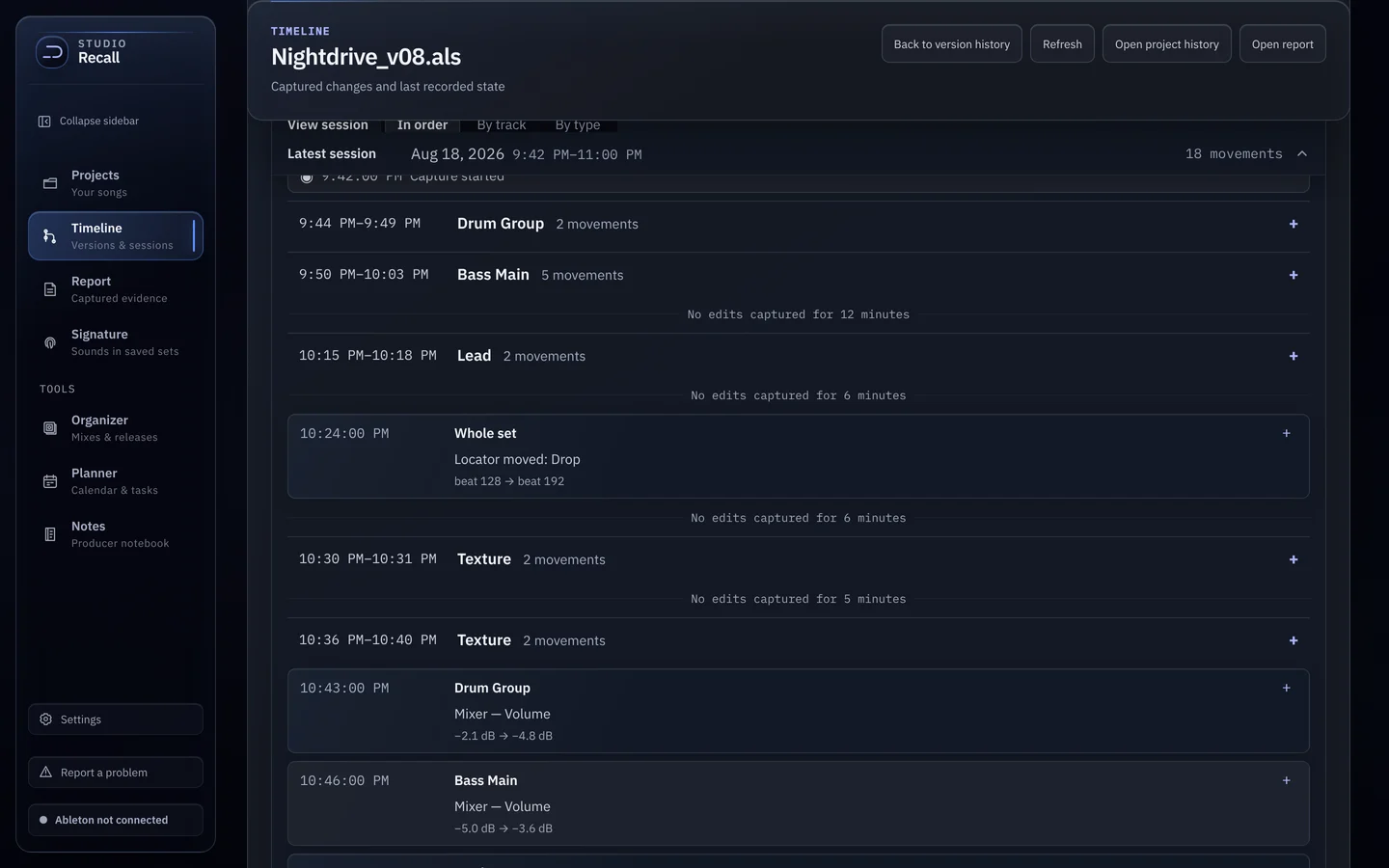
Open Timeline in the sidebar and pick a project. Every saved .als sits on one line, with when you last worked on it. Use First, Revisited and Latest to step through versions.
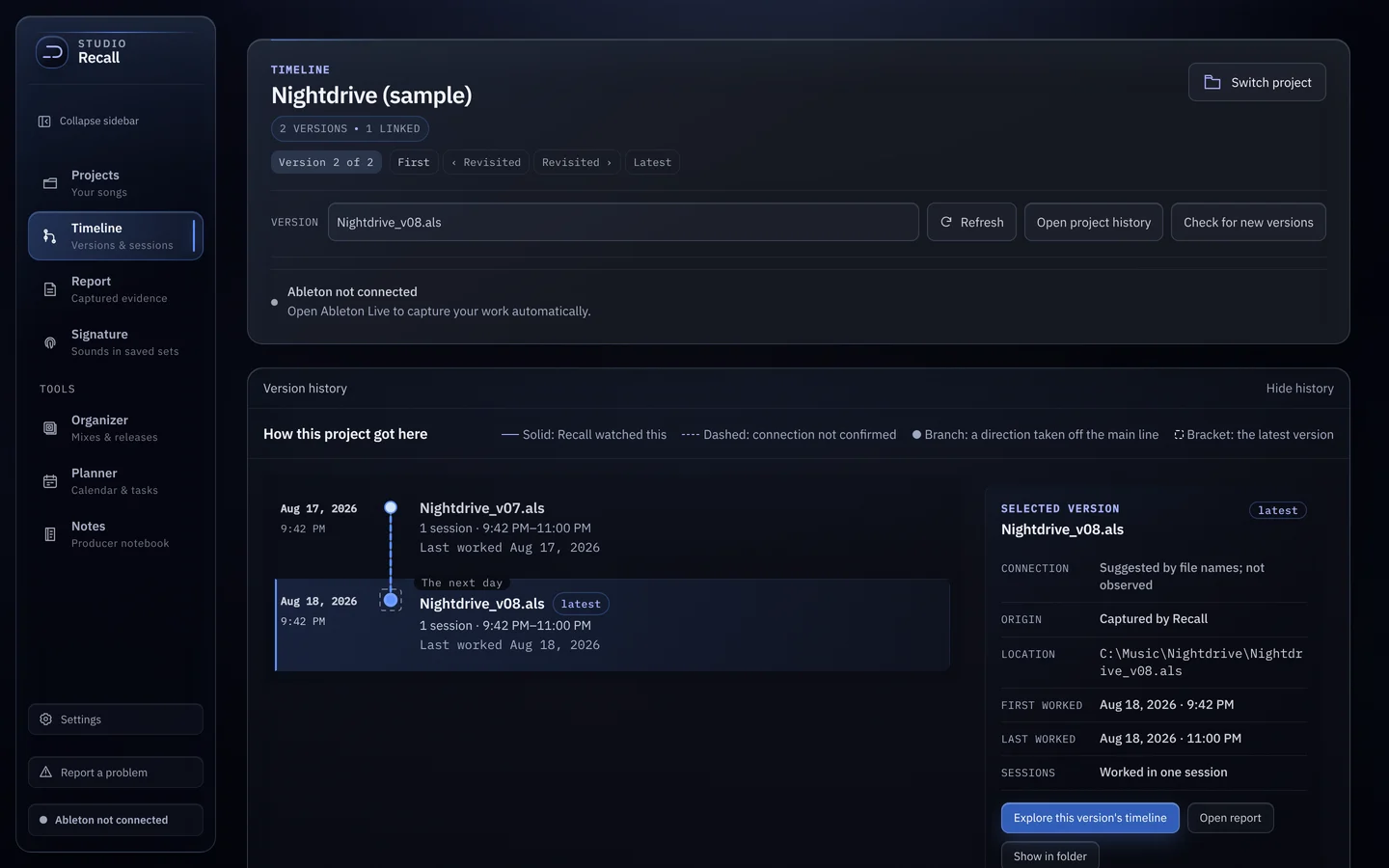
| Line | Means |
|---|---|
| Solid | Recall watched this |
| Dashed | Connection not confirmed |
| Dot off the line | A branch: a direction taken off the main line |
| Bracket | The latest version |
Select a version
Click any version to see its details on the right: how it connects to the others, where the file lives, when you first and last worked on it, and how many sessions it took. From there:
- Explore this version’s timeline opens its sessions.
- Open report jumps to the Report for that version.
- Show in folder opens the
.alson disk.
Read a session
A session groups captured changes on one version until a break of four hours or more. Changes are grouped by track with clock times. Open a group to see each change with its before and after values. Gaps show up plainly, like No edits captured for 12 minutes.
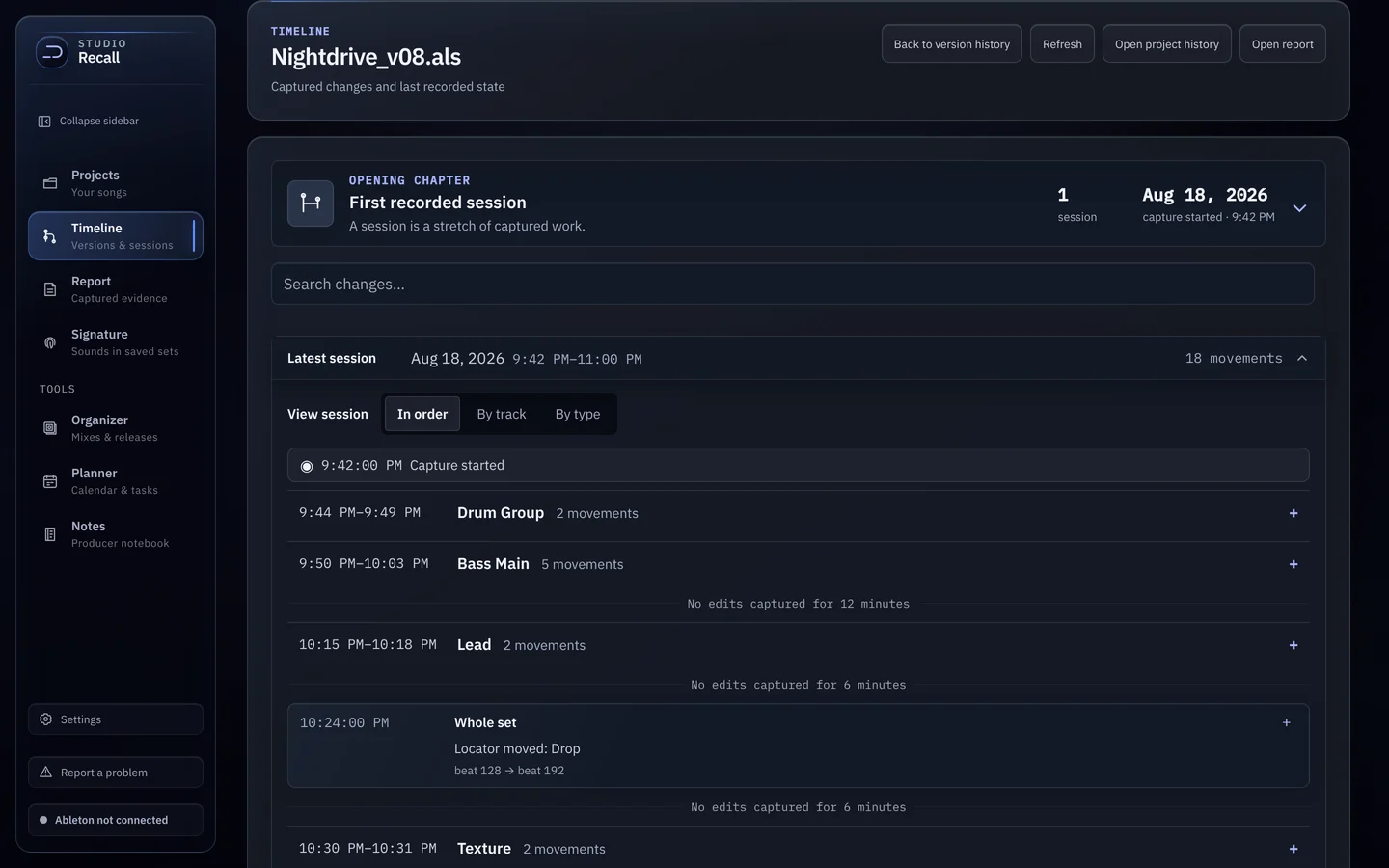
- In order reads it as it happened.
- By track follows one track at a time.
- By type groups by kind of change.
- Search changes finds a track, device or parameter.