Can’t remember how you made it?Recall can.
Recall runs next to Ableton Live and writes down every change you make while you work, down to the knob.
Runs on your computerNo accountNever writes to your .als
- Live 11 + 12
- Mac + Windows
- Private alpha
- Pay once
Your .als remembers the result. Recall remembers the work.
You had it last night. Then you kept tweaking and saved over it. Recall keeps every step, so you can find your way back.
Changes
Each knob, fader and device move as Live reports it, with the time and the value before and after. Clips, notes and new tracks too.
9:53 PMBass Main · Serum · Cutoff18% → 31%
Versions
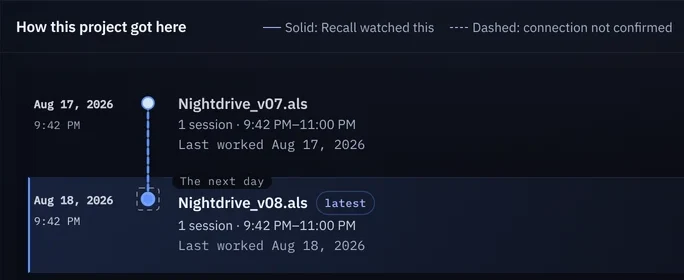
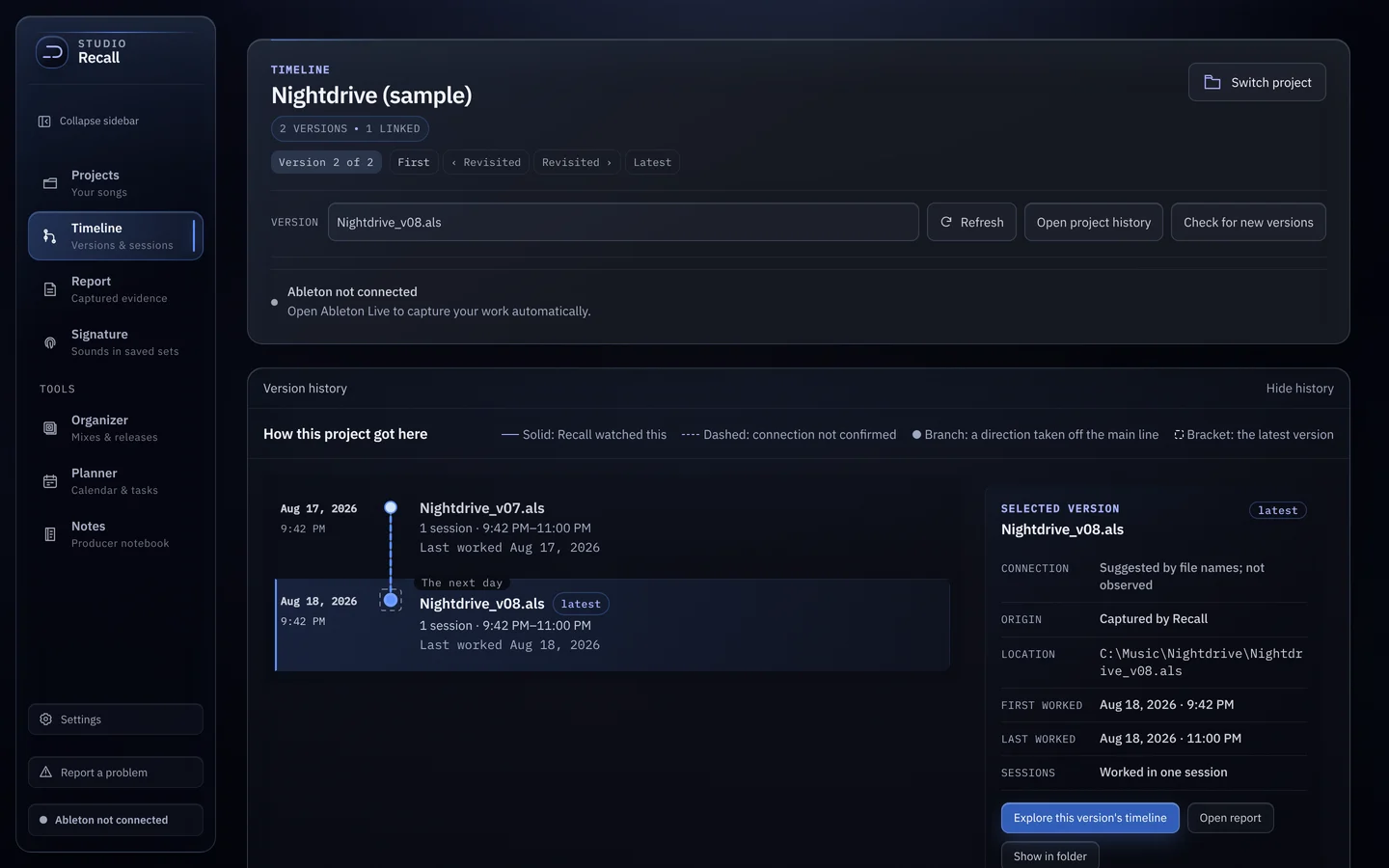
Every .als you save sits on one line. Go back to an older file and take it somewhere new, and it shows up as a branch.
Nightdrive_v07.als→Nightdrive_v08.als
Sessions
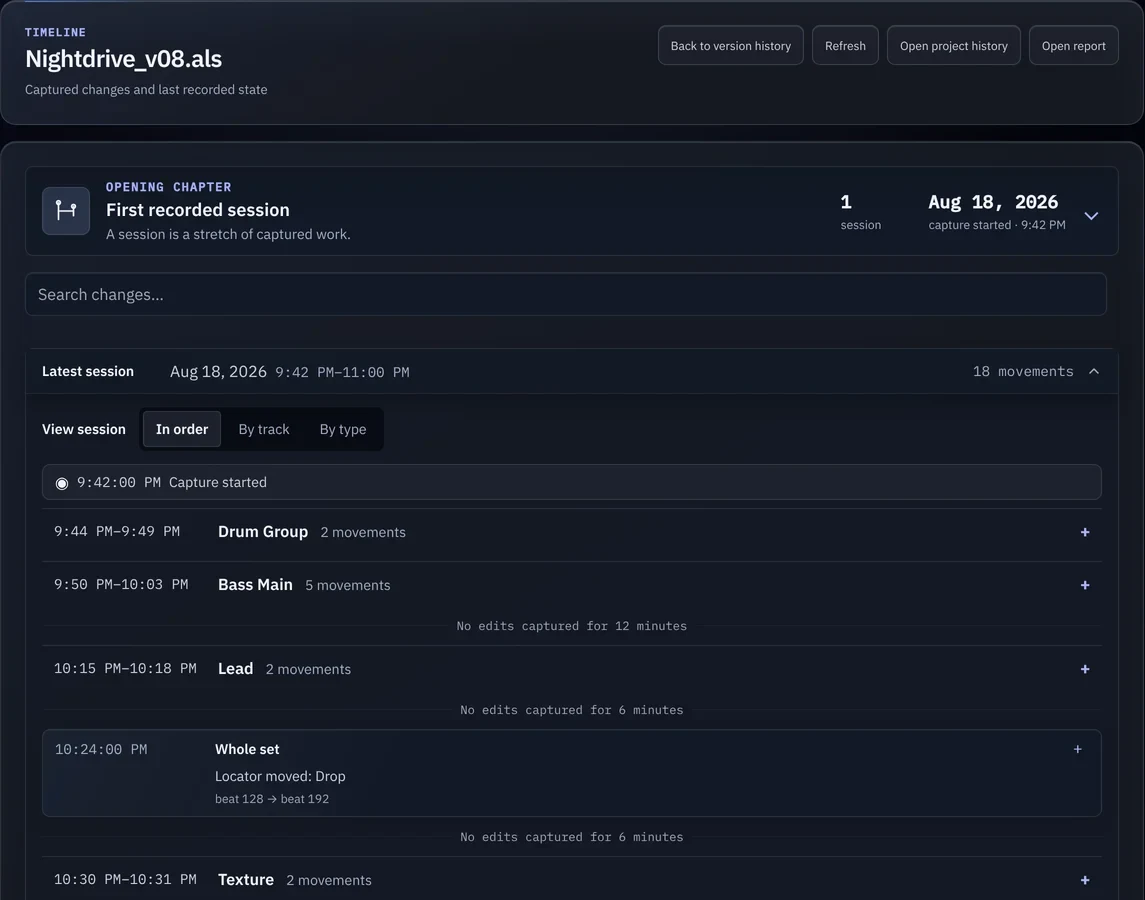
Read a night’s work in order or by track, with the breaks shown plainly and the version it went into.
9:42 PM–11:00 PMNo edits captured for 12 minutes
Set it up once and forget it’s there.
No Live Suite or Max needed. Works with Ableton Live 11 and 12 on Mac and Windows.
- 01
Install Recall
It adds a small script to Live. You switch it on once in Preferences.
- 02
Make music
Work the way you always do. Recall notes each change as Live reports it.
- 03
Look it up
Open Recall any time to see your versions, your sessions and every move.
Your music stays on your computer.
Never writes to your sets
Recall reads your saved .als files to see what changed and leaves them as they are.
No account
Download it and open it. There’s nothing to sign up for.
Stays on your computer
Your history isn’t uploaded. A problem report leaves only when you press Send.
Pay once
No subscription.
I wanted to know what I actually do when I make music. Which ideas do I come back to? How does one version of a song turn into the next? Where does my time go in Ableton?
I was studying computer science while making music, so I started building a way to answer those questions. Recall keeps a local history of my sets, sessions, and changes. It began as a way to understand my own process, and it’s grown into the set of tools I want around me when I’m making music.
Stop guessing how you made it.
Want to try it now? Email me about the private alpha: recallstudiossupport@gmail.com